







background graphic
Usailathon banner
Key Dates
Key Dates
Eligibility
Eligibility
Deliverables
Deliverables
Rules
Rules
Mentorship
Mentorship
Judge
Judge
Prize
Prize
FAQ
FAQ

Usabilathon 2026 

Designing the Future, One Prototype at a Time! 

Collins Aerospace text logo
Usabilathon Sponsor

About the Event 

Usabilathon 2026 is a twoweek design competition running from March 30 to April 13, where any
students interested in HumanComputer Interaction (HCI) come together in pairs to tackle realworld
problems. Over the course of the competition, teams will conduct user research, brainstorm solutions, and
develop interactive design prototypes, showcasing their creativity and usercentered design skills.

The competition is open to graduate students with an interest in HCI, UX design, or related fields.
Participants will receive guidance from experienced mentors, have their work evaluated by a panel of
professional judges, and compete for cash prizes.

Usabilathon 2026 will be sponsored by Collins Aerospace, is an American aviation and defense
technology company, which is one of the world’s largest suppliers of aerospace and defense products. The
problem statement, along with full details, will be announced on March 30 when the competition kicks
off.

This competition is a chance to tackle a realworld challenge, collaborate, innovate, and build a standout
portfolio. It’s also an opportunity to connect with industry professionals and showcase your skills. Mark
your calendars, registration starts on February 27!

We look forward to seeing your creativity in action!

AI-Powered Anomaly Detection in Spreadsheets Problem

Problem Statement: Spreadsheets are used everywhere for tracking sales, managing budgets, organizing data, and more. But when spreadsheets grow large, it becomes hard to spot mistakes or unusual patterns. For example, if a product suddenly sells 5 times more than usual or a monthly expense doubles without reason, how can users quickly catch these issues before they become costly problems?The Challenge: At Workiva, we aim to simplify how people work with data. Your challenge is to design an AI-powered anomaly detection solution that helps users quickly spot unusual patterns (anomalies) in spreadsheet data, without needing to be a data expert.You can find examples of Workiva UI on their support page and website to help guide your design and ensure a consistent user experience.Relevant Resources:To better understand anomaly detection and AI integration in spreadsheets, you may find the following resources helpful:● Google Sheets and Excel Anomaly Detection Tools – Research how existing platforms handle outlier detection and where there are gaps in usability.● UX Design for Data Tools – Look into best practices for designing intuitive data interfaces, especially for non-technical users.● Competitor Tools – Review existing anomaly detection solutions like Tableau, Power BI, and other spreadsheet add-ons to identify areas for improvement.Example 1: If a financial report shows that marketing expenses jumped from $10,000 to $100,000 in a month, the solution could highlight the value and say: “Marketing expenses increased by 900% compared to last month. This could be due to a data entry error or a new campaign. Please review the details.”Example 2: If a sales report shows that revenue from a product suddenly drops to zero after months of steady performance, the solution might flag it and say: “Sales for Product A have dropped by 100% compared to the monthly average. This could be due to an issue with inventory or a change in customer demand. Please investigate further.”Your goal is to make this solution easy to use and valuable for everyday users, even for non-expert users. Please note that the examples provided are for reference only and should not be directly used in your solution.

Key Dates 

  • February 27: Team Registration Forms Open
    Registration for teams begins! Make sure to sign up quickly, as spots may fill up fast.

  • March 12: Online Orientations
    Attend the orientation to seek answers to all your Usabilathon queries.

  • March 30: Design Challenge Commences
    The official kickoff to Usabilathon! You’ll receive detailed guidelines on the challenge scope and topic.

  • April 13: Submissions Due
    Teams submit their final prototypes, posters, presentations, and supporting research materials.

  • April 30: Winner Announcement 
    Winners will be revealed on April 30 at the Awards Ceremony. Celebrate your hard work and see if your team has made it to the top three

Eligibility 

  • Any current graduate student at the university

  • Each team must consist of two participants

  • Must be a current graduate student at the university

  • Open to both parttime and fulltime graduate students

  • Open to both online and oncampus graduate students

  • Completion of the registration process by the announced deadline

Deliverables 

  • Proof of UX Research: Provide clear documentation (up to 5 pages) of your user-centered design process. The document should include:

    • Data gathering approach (e.g., interviews, Surveys, etc.)

    • Synthesizing data (e.g., affinity mapping, thematic analysis, etc.)

    • Representation (e.g., user personas, user journey, flow diagram, etc.)

    • Reflexivity Statement: Briefly describe in a paragraph your perspective on your work, where you stand in relation to the problem, and how your background, experiences, and assumptions influenced your design decisions

  • Design Prototype: No coding is required. Focus on designing a high-fidelity prototype demonstrating your concept’s functionality and flow.

  • Presentation: A recorded presentation (7-8 mins) that details the problem statement, research methods and findings, demonstration of the prototype, its effectiveness and feasibility.

  • Winners will be requested to design and submit a poster to showcase at the HCI retreat within 3 days after they are notified


Note: Please refrain from sharing sensitive data or identifiable information of participants.

Submission Format 

  • UX Research Documentation (PDF)

  • Clickable Prototype (Figma/Adobe XD/InVision link)

  • Presentation Video (Google Drive/CyBox/OneDrive/YouTube link)

  • Reflexivity Statement (PDF)

  • File Naming Convention (Format:Usabilathon2026_SubmissionType_TeamName.pdf; example:
    Usabilathon2026_Documentation_TeamPragmatist.pdf)

    Note: Please set appropriate access rights for submission materials shared via link.

    Submissions will be evaluated based on:

  • UserCentered Research 30%
    Depth of UX research, such as user personas, affinity maps, or surveys.

  • Design Innovation 25%
    Novelty, creativity, and problemsolving approach in your design solution.

  • Usability & Feasibility 25%
    Clarity of interaction flow, userfriendliness, and practicality of implementing the concept.

  • Presentation Quality 20%
    Overall organization, clarity, and visual appeal of your prototype and presentation

Mentors 

  • A group of graduate students, alumni, and faculty members will be available to guide you through this process.

  • Mentors come from diverse backgrounds, providing valuable perspectives on different aspects of your project.

  • You will connect with your mentors through the Canvas class, which you’ll be invited to after registration.

  • Weekly checkins will be scheduled, where each group meets with their mentor once a week, based on mutual availability.

  • Meetings can be conducted in two ways:

    • Submit your questions and progress for feedback asynchronously.

    • Schedule a 30minute online meeting with your mentor.

  • Meetings and questions should be limited to this structured plan.

  • Ask the HCI Group cabinet for any help regarding planning a meeting.

HCI Group Cabinet 

  • Volunteer officers from the HCI student group who have organized the competition and are familiar with the rules and requirements will assist with general questions about the competition.

  • Reach out via email (see below) or Slack for support.

  • They can also help facilitate online meetings and address any uncertainties

Judges 

  • Judges are professional UX experts from the industry. 

  • They will evaluate entries based on the criteria outlined above. 

  • They will provide their assessment to competitors at the end of the judging process. 

  • Feedback will be shared on Canvas with each group for further improvements. 

Prizes 

A total of $1,000 in prizes will be awarded: 

  • 🏆 First Place Group: $500
  • 💵 Second Place Group: $300
  • 💰 Third Place Group: $200 

Things to Note

  • Use your Iowa State email address to register.
  • Canvas will be your main hub as your other courses. Please refer to it first when you have questions and then contact volunteers.
  • Do not copy or plagiarize other’s or your own past work.
  • If you use GenAI tools, please state them (e.g., credits for using AIgenerated images outline where you have used it)


FAQ

  • Can individuals participate alone?
    No, teams must have two members.


  • Can we use existing projects?
    No, all work must be created during the competition.


  • Can you change teammates after registering?
    Students have one week after registration closes to review their assigned teammate and request any changes. Once the challenge begins, team assignments will be final, and no further changes will be allowed.


  • Are there restrictions on tools used?
    No, but submission must be viewable by judges.


  • Can we modify our submission after submission?
    No, final submissions are locked after April 13.


  • Who will be judging the competition?
    Judges will be selected from industry professionals, faculty, and UX experts.


  • Are there any forums to connect with people before we team up?
    You can find all registered participants in the Canvas course if you’re looking for
    teammates. For any questions about forming teams, feel free to email us via the email noted at the end of this document.

  • For any questions not answered here, you can reach out to the HCI student group officers via the email address below.

Contact 

Congratulations!

2025 CONTEST WINNERS

1st Place Winners $400

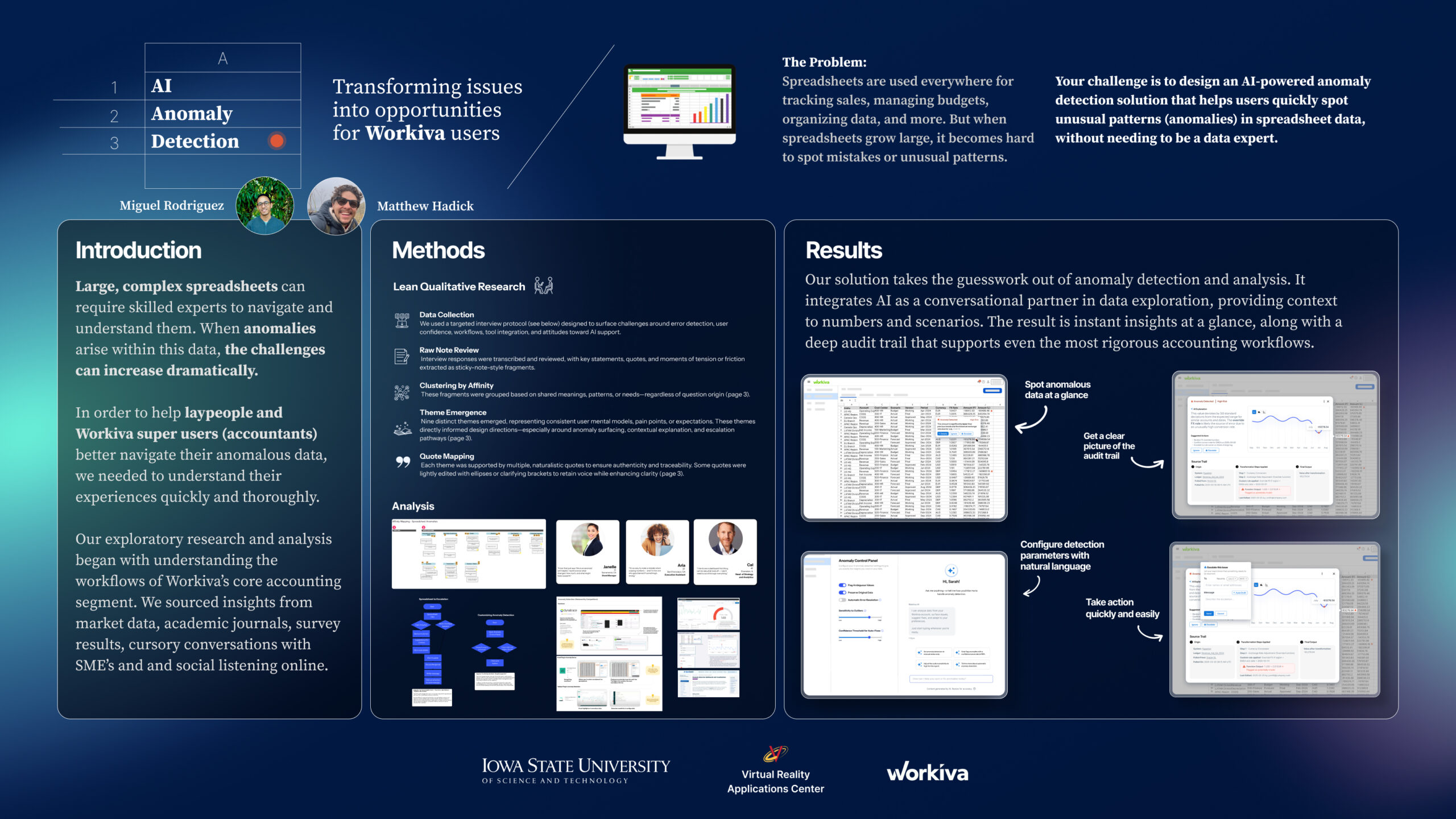
Miguel Rodriguez 

Matthew Hadick

Title: Transforming issues into opportunities for Workiva users

Judges’ comments: (PDF)↗
2nd Place Winners – $300

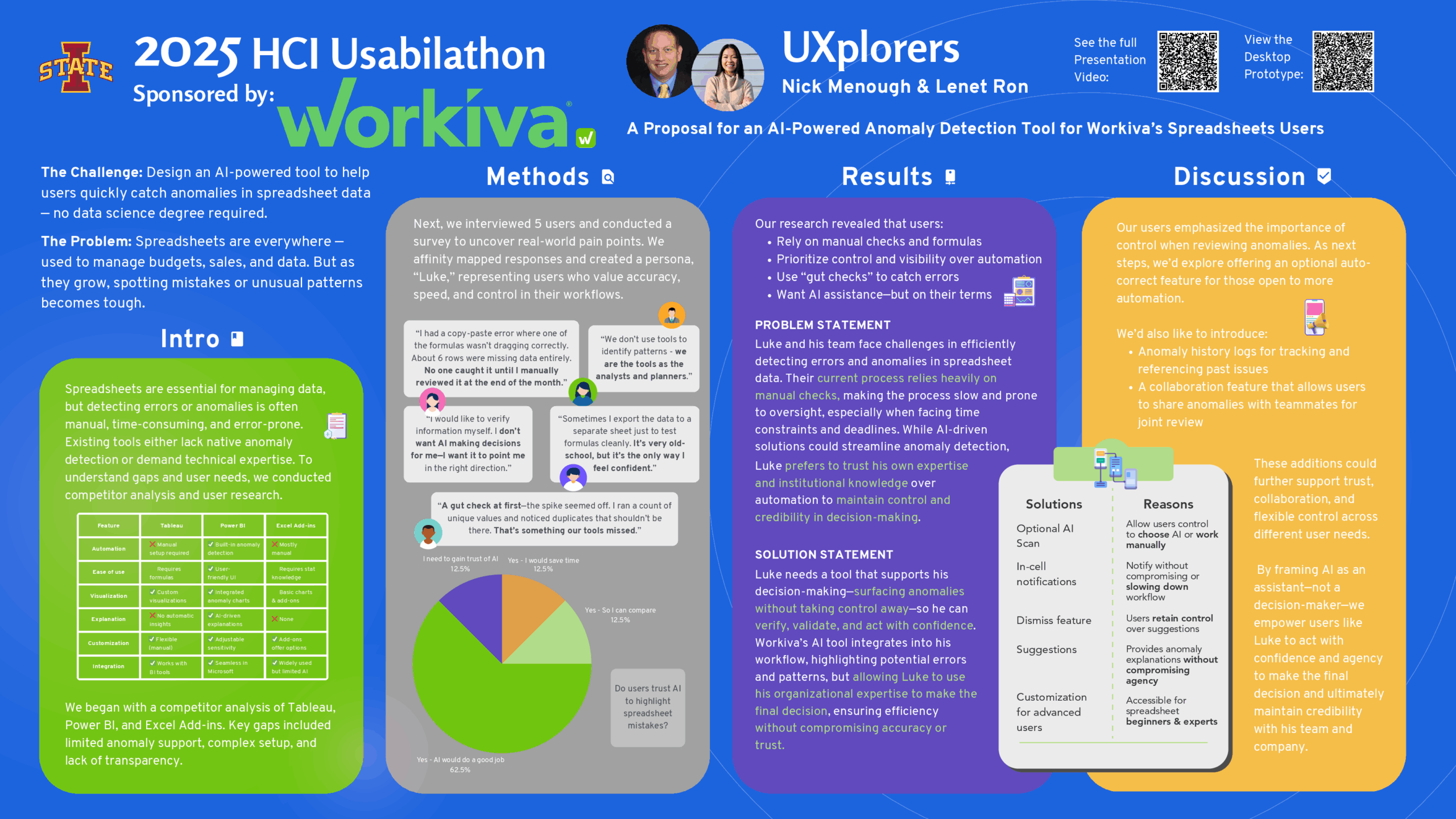
Nick Menough

Lenet Ron

Title: A Proposal for an AI-Powered Anomaly Detection Tool for Workiva’s Spreadsheets Users

Judges’ comments: (PDF)↗
3rd Place Winners – $200

Avnish Poonia 

Aishani Suvarna

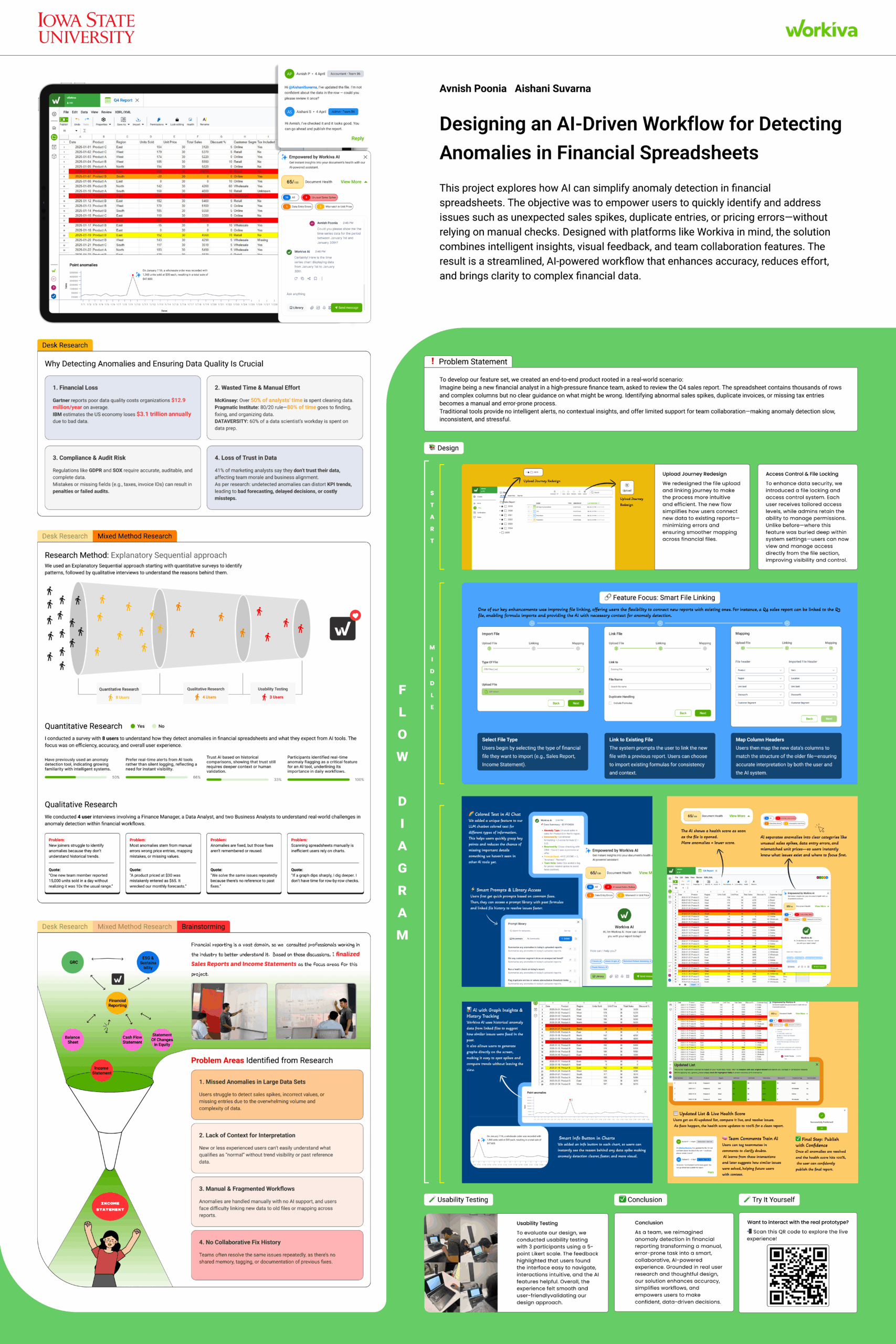
Title: Designing an AI-Driven Workflow for Detecting Anomalies in Financial Spreadsheets

Judges’ comments: (PDF)↗